Enter your account details
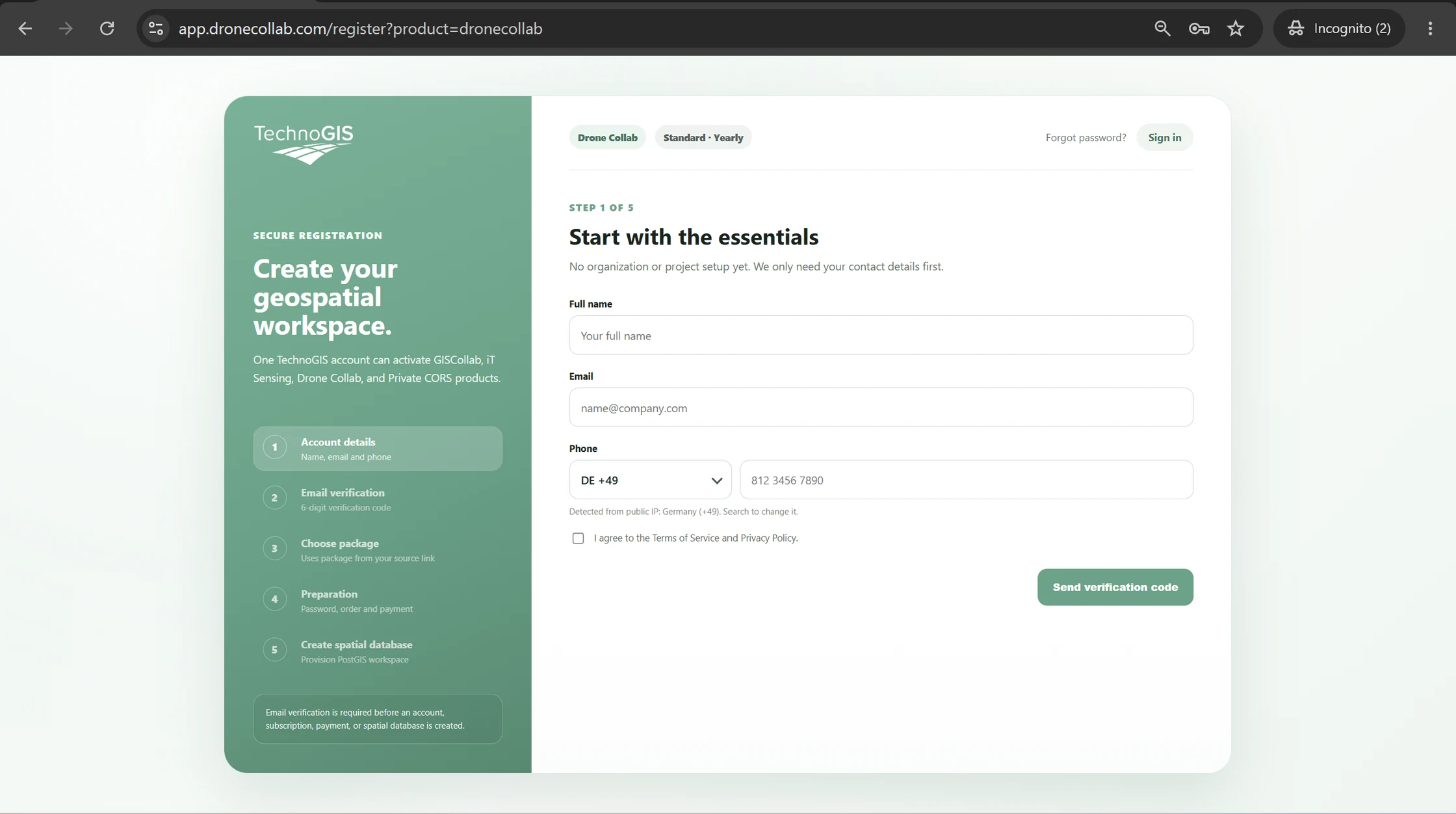
Open the DroneCollab registration page. Enter your full name, email address and phone number with the correct country code.
Accept the Terms of Service and Privacy Policy, then click Send verification code.
Verify your email
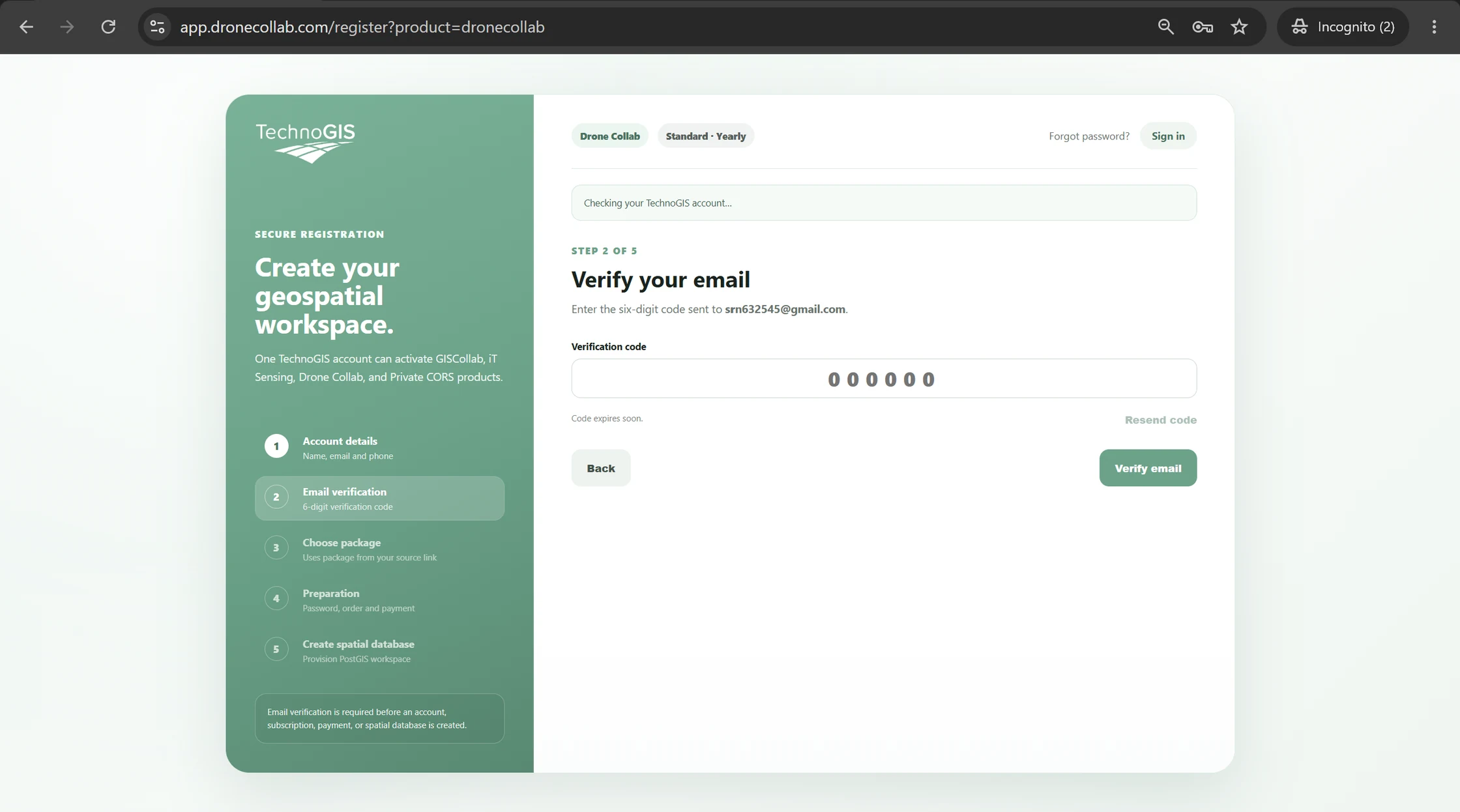
Open the message delivered to your email inbox and find the six-digit verification code.
Enter the code and click Verify email. If it has expired, use Resend code.
Select a package
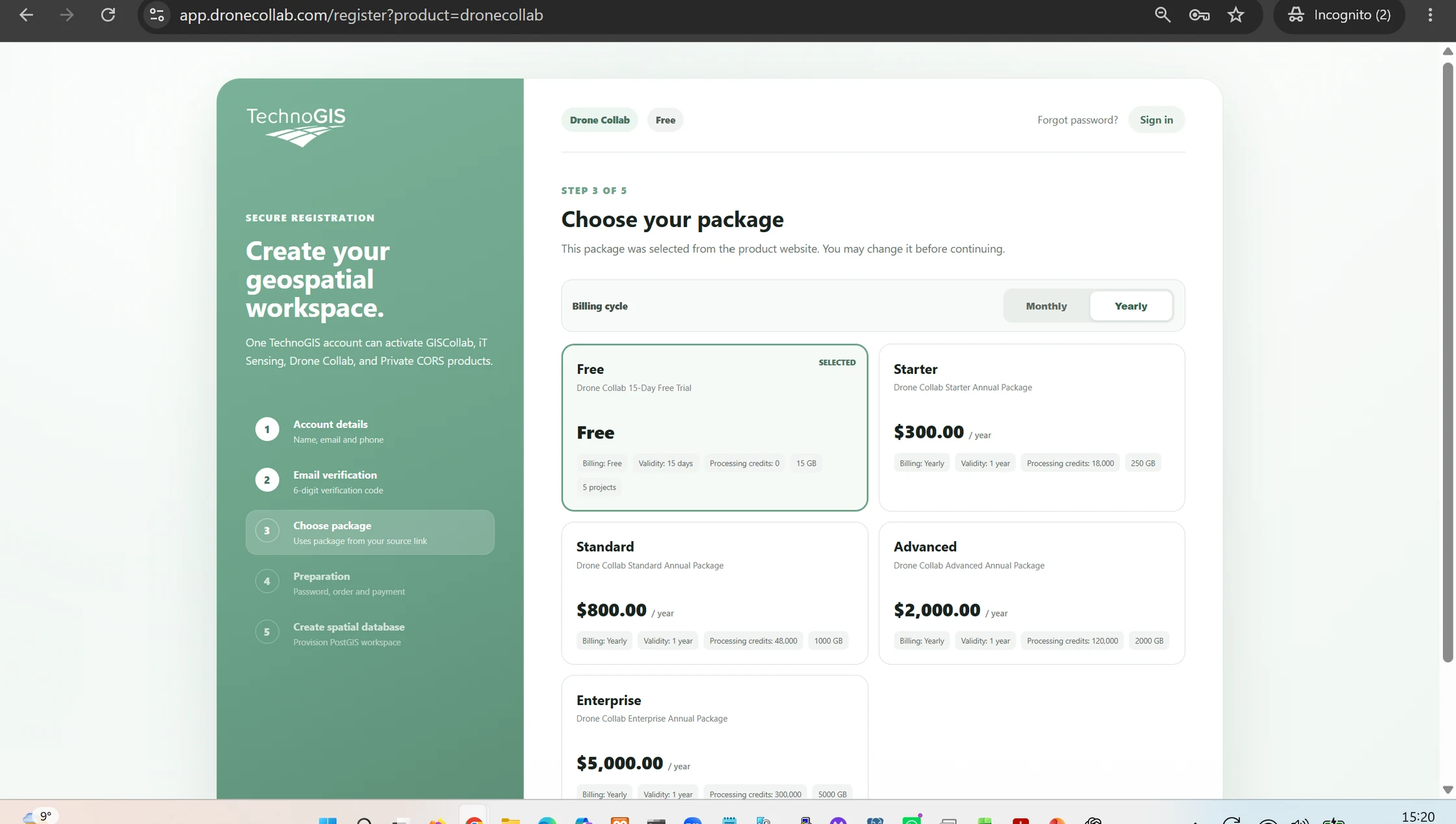
Review the available packages and choose a monthly or yearly billing mode if needed. The screenshot shows Free and paid plans.
For a free start, choose Free if available. Your current package and price are displayed before activation.
Set your account password
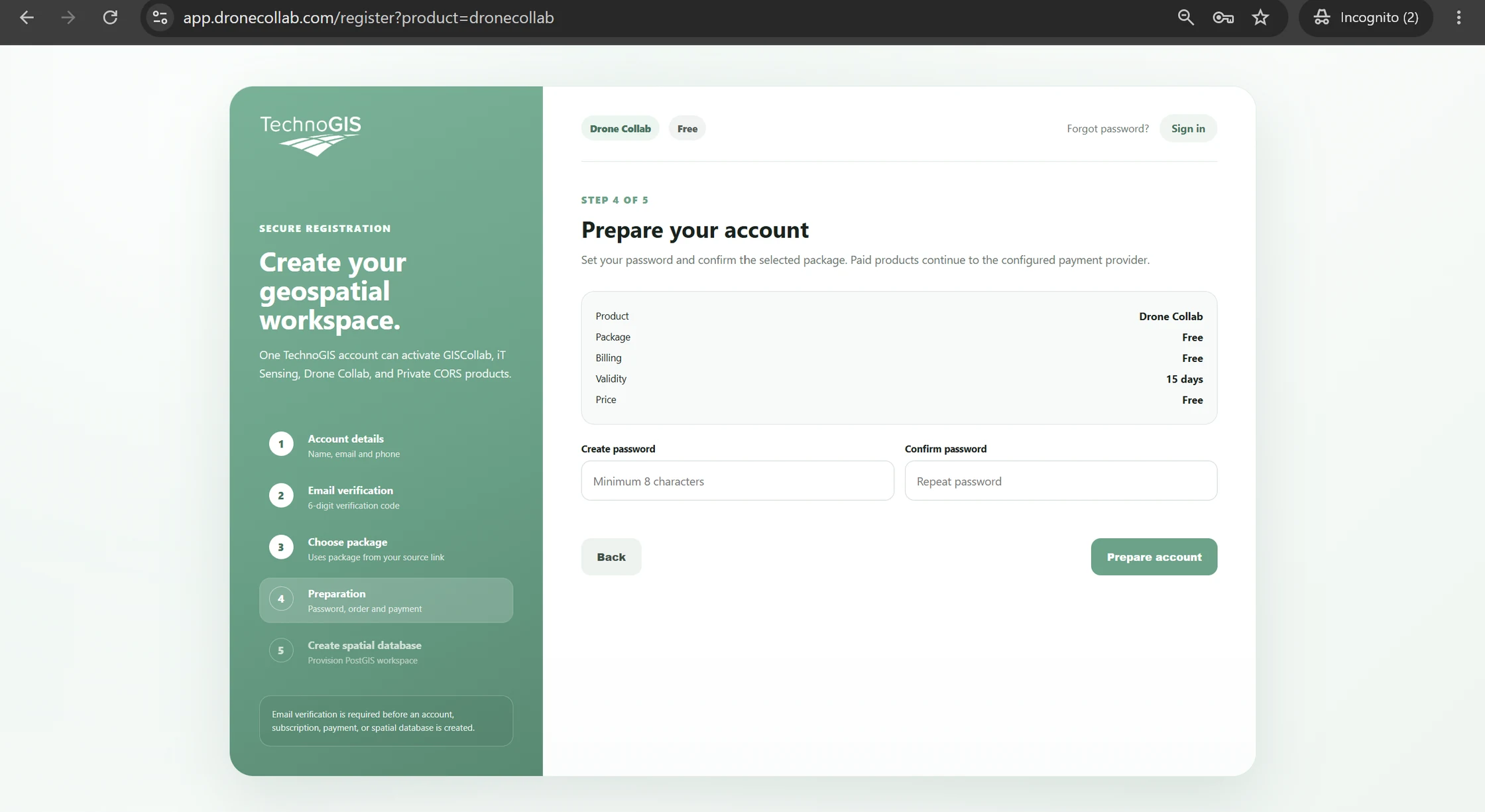
Confirm the selected product, package and validity. Enter a password of at least eight characters and repeat it.
Click Prepare account to continue. Paid packages may require a payment step on the live website.
Wait for workspace preparation
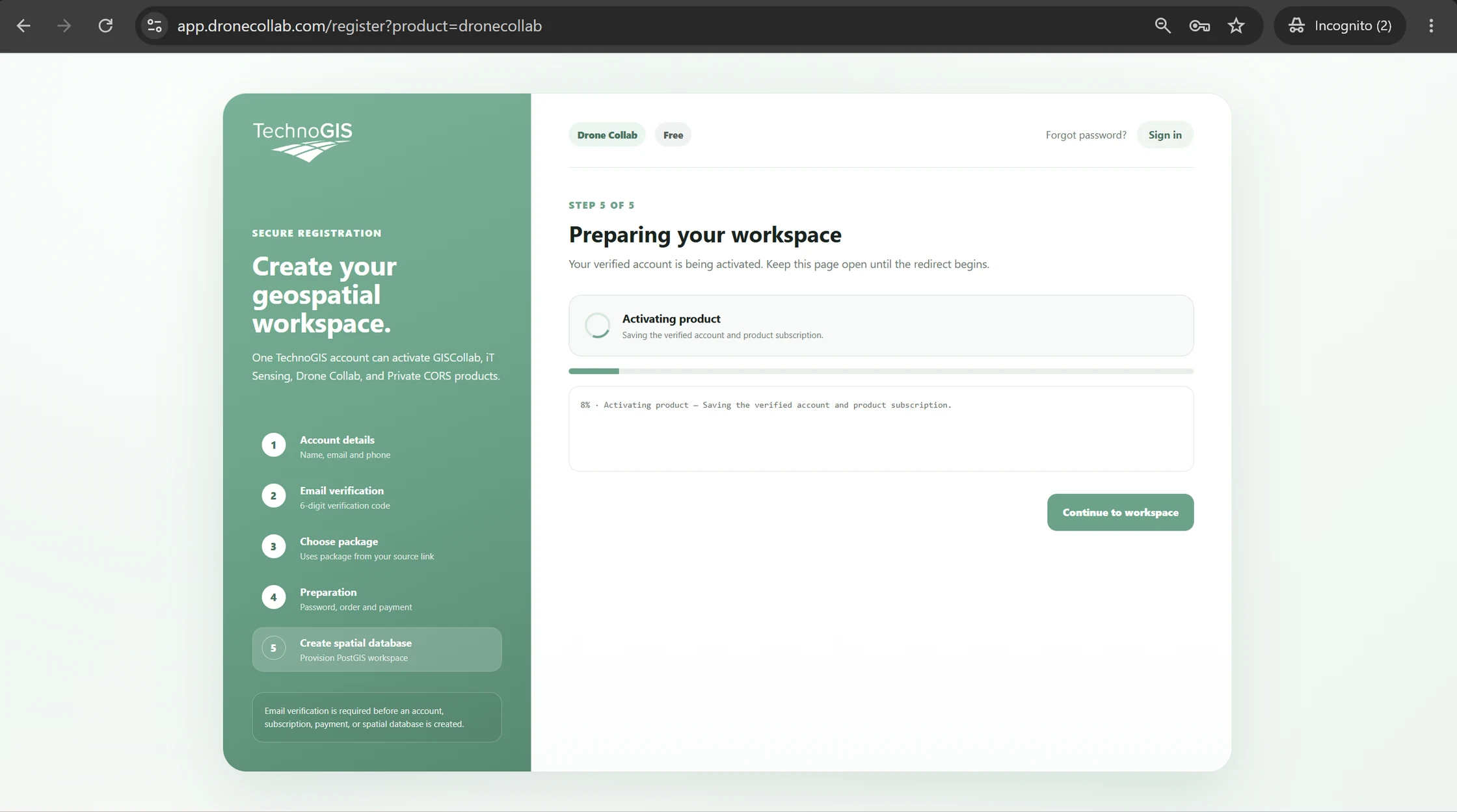
DroneCollab activates the verified account and prepares the selected product and workspace.
Keep the page open until setup finishes, then click Continue to workspace.
Start your first drone project
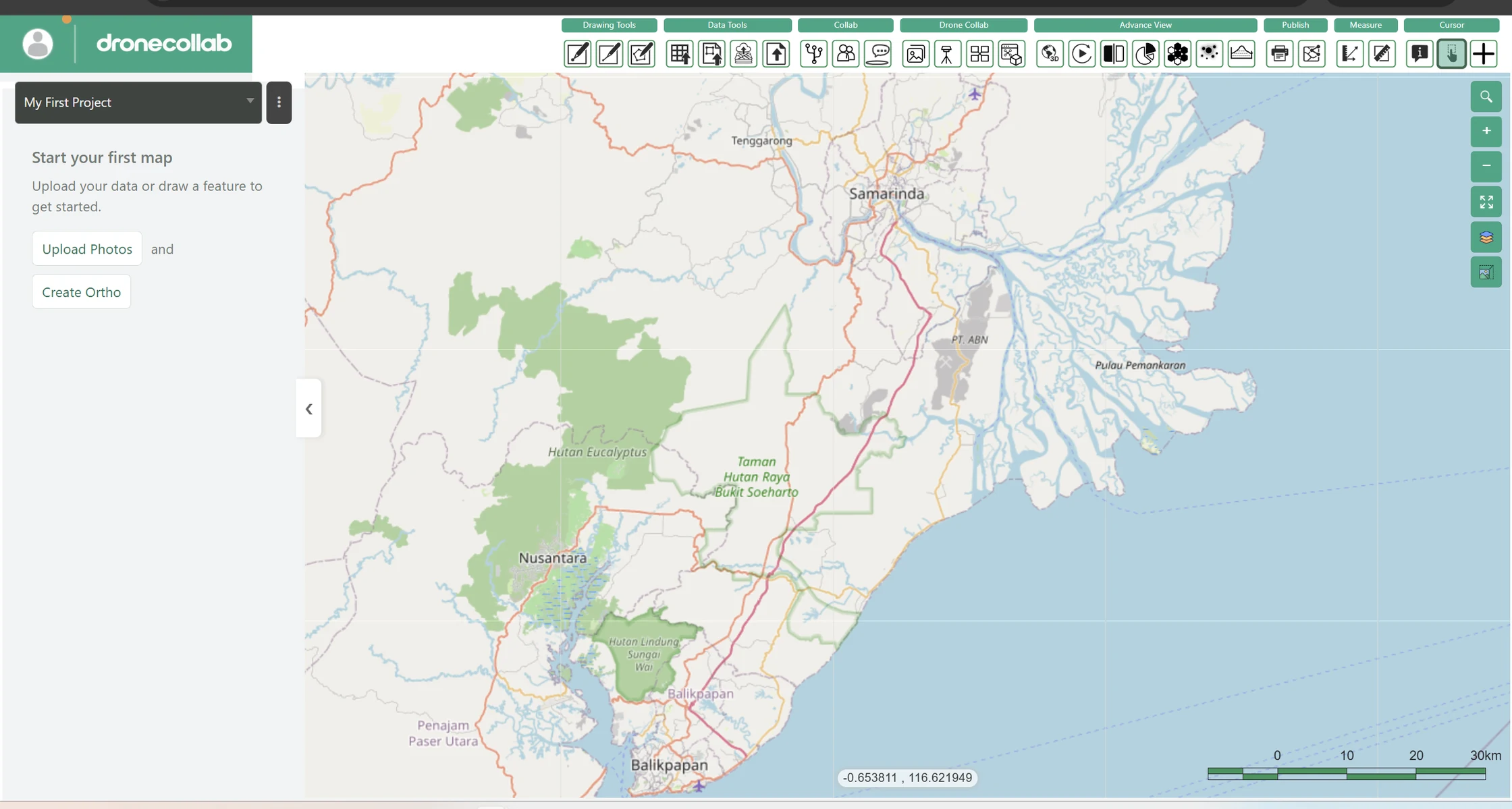
The workspace opens with My First Project and a map. This is the start of your drone mapping workflow.
Use Upload Photos to add your UAV images, or Create Ortho to begin photogrammetry after uploading images.